Fluxee Fluxee
Chrome Extension · Stream Management Software

Your stream,
running on autopilot

Fluxee handles tip menus, thank-yous, moderation, and OBS overlays — posting everything as you, not a bot.

No account required · No external bot · Works on Fansly

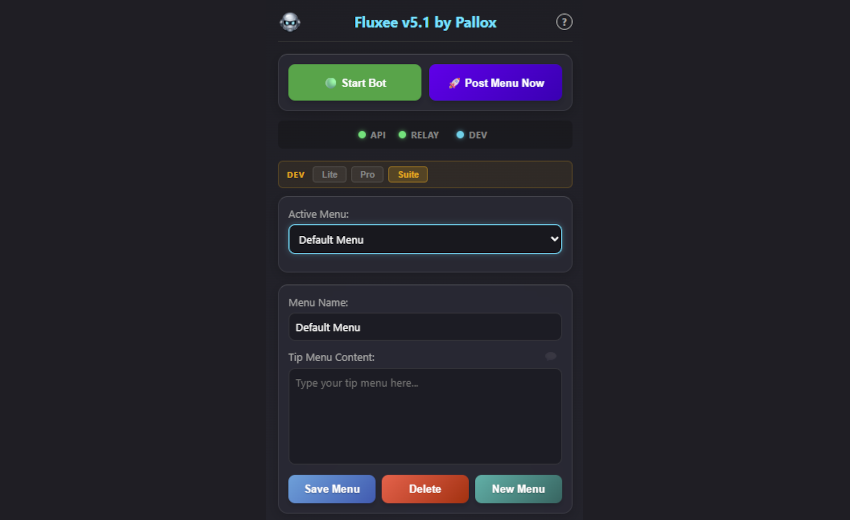
Sidepanel — top
Sidepanel — top
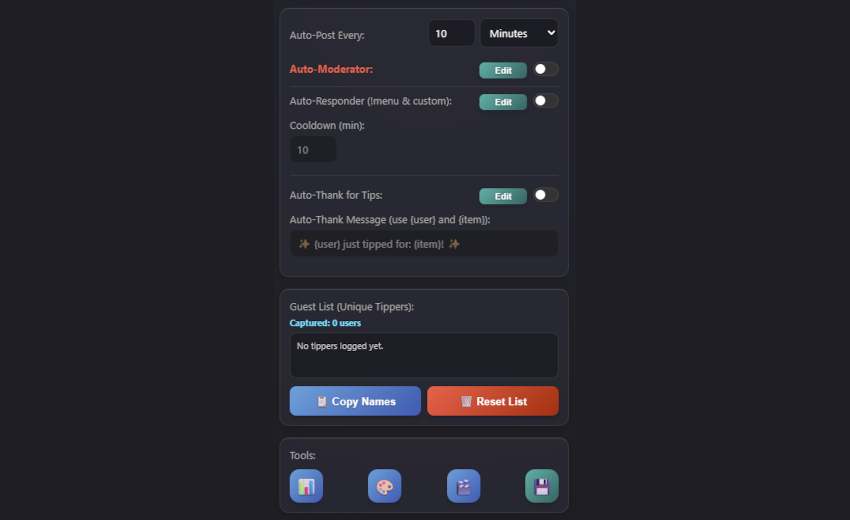
Sidepanel — bottom
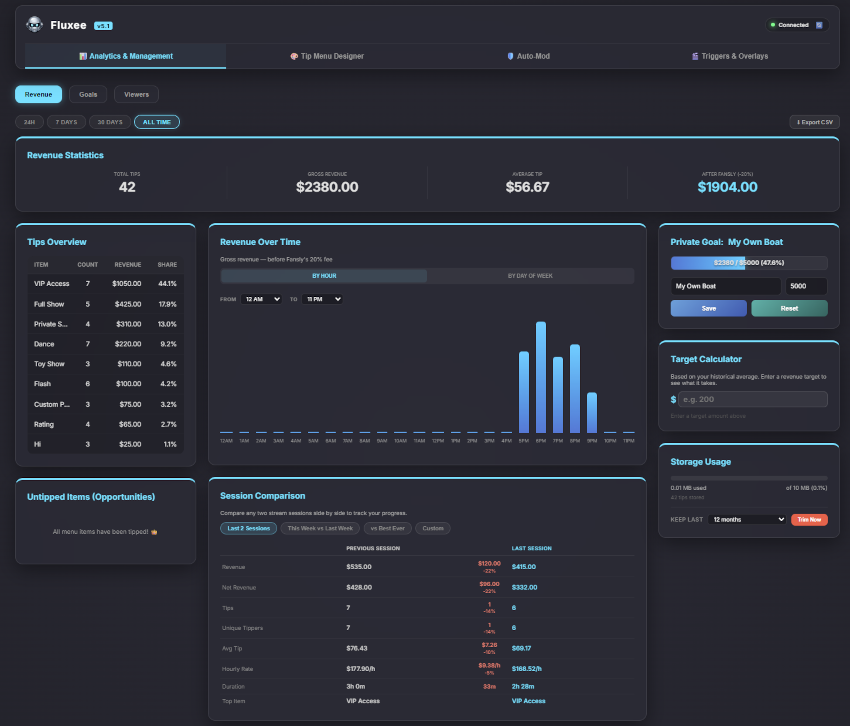
Analytics — Revenue
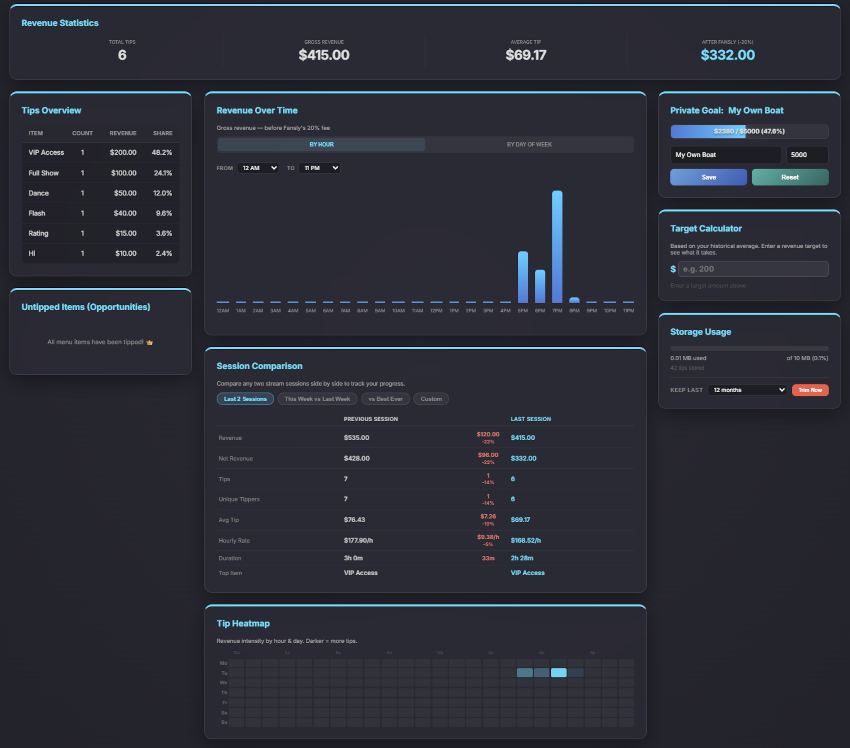
Analytics — Session Comparison & Heatmap
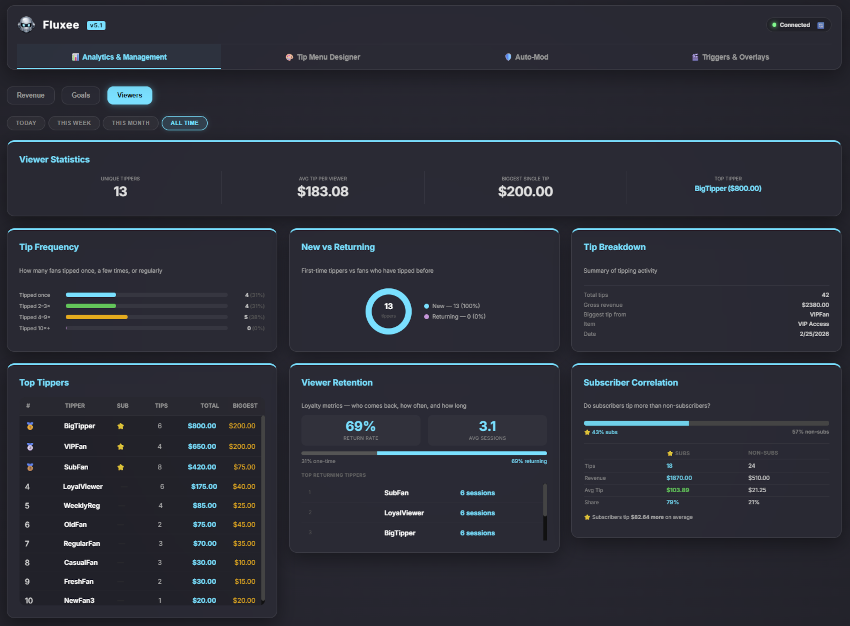
Analytics — Viewers
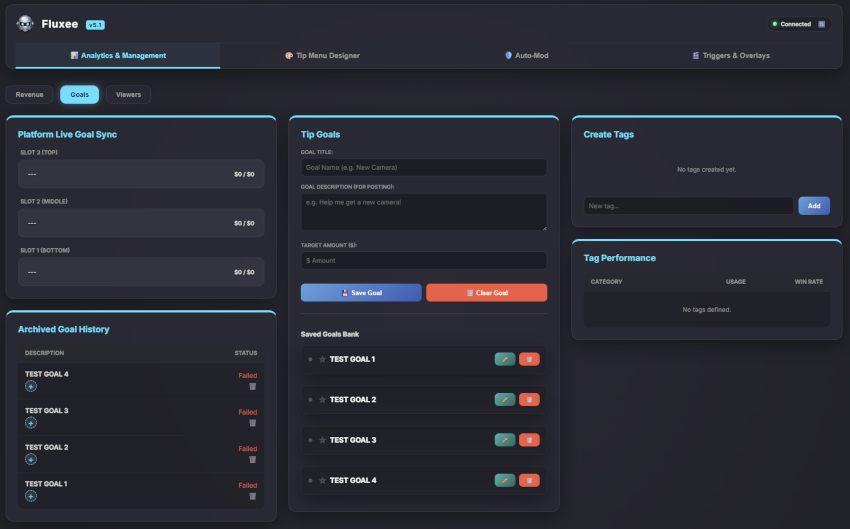
Analytics — Goals
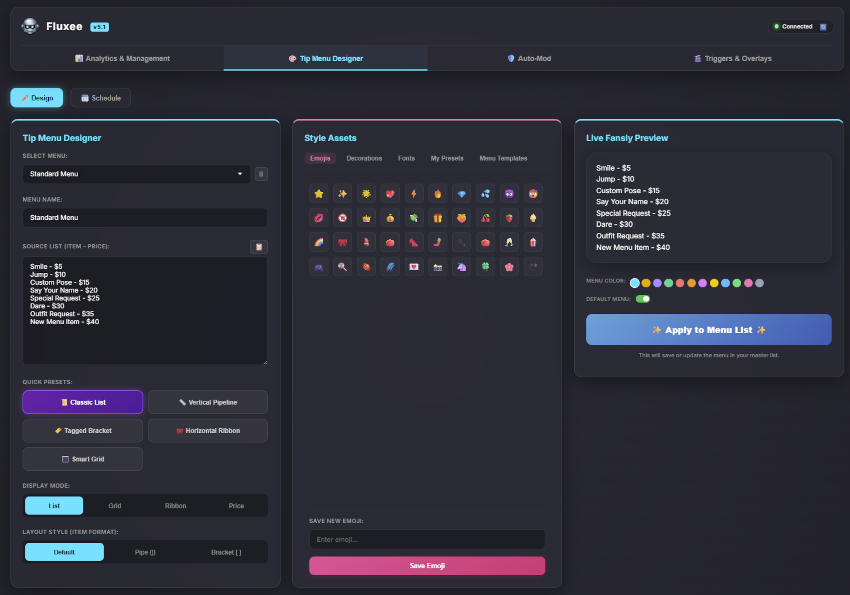
Tip Menu Designer
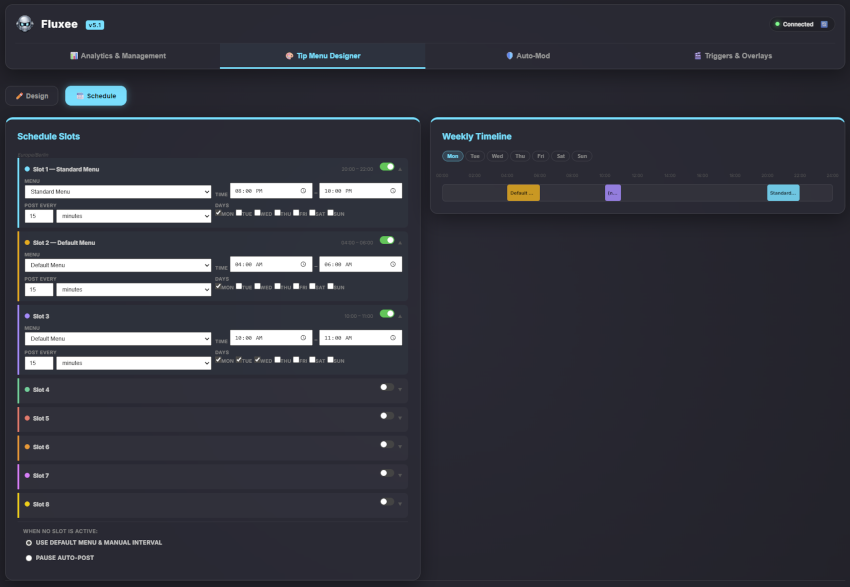
Tip Menu Designer — Schedule
Auto-Moderator
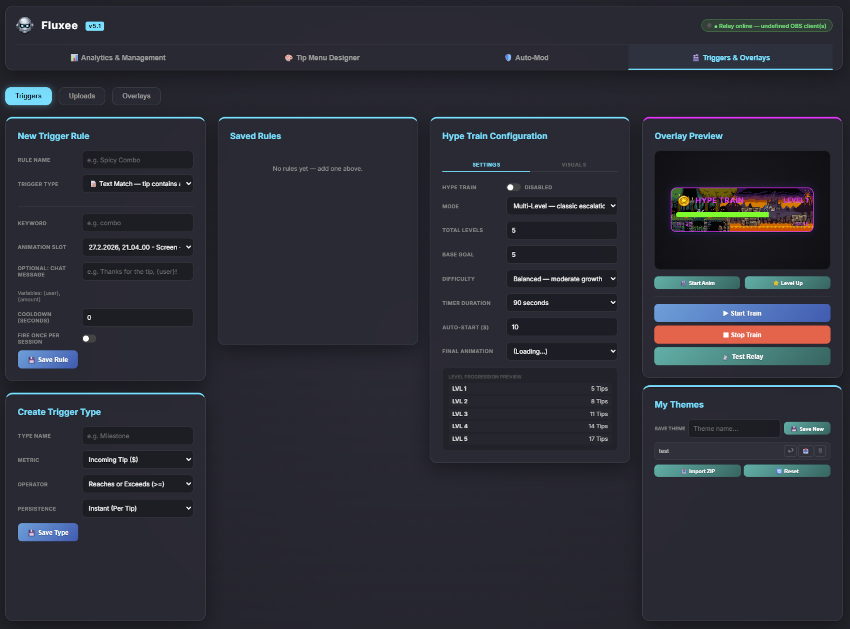
Triggers & Hype Train
OBS Overlays

Everything your stream needs

Built specifically for Fansly live streaming. Every feature designed around how tip-based streams actually work.

📢

Auto-Post & Commands

Post your tip menu automatically by time or chat activity. Respond to !menu and custom commands instantly.

🎨

Visual Tip Menu Designer

Build professional tip menus with a live Fansly preview. 8 built-in templates, Unicode fonts, schedule integration, and colour tagging.

📈

Full Tip Analytics

Revenue tracking, viewer retention, session comparison, tip heatmap, and target calculator. All stored locally — your data stays on your machine.

🛡️

Auto-Moderator

Five intelligent chat filters — caps, links, banned words, paragraphs, and symbols. Per-user cooldowns. Fully configurable warnings.

📺

OBS Stream Overlays

Live leaderboard, stream goal, and end card overlays for OBS. Real-time updates via a local relay — no cloud, no latency.

🚂

Hype Train

Animated OBS overlay that celebrates tip storms with levels, visual effects, and custom themes. Fully configurable triggers and duration.

🗓️

Menu Scheduler

Rotate menus automatically on a time-based schedule. Up to 8 slots per week, with a visual timeline and overlap prevention.

🎬

Trigger Engine

Fire overlay animations and chat messages automatically based on tips, goal events, and rapid tip activity.

🔒

Posts as You

Everything Fluxee sends comes from your own Fansly account — no bot username, no external service visible to your viewers.

One-time. No subscription.

Pay once, use forever. All updates to your tier are included for life.

Lite
Free

Always free. No credit card.

  • Bot core — auto-post, !menu, auto-thank
  • Multiple saved menus
  • Guest list & backup/restore
  • Basic revenue statistics
  • Full analytics
  • Tip Menu Designer
  • Auto-Moderator
  • OBS Overlays & Hype Train
Install from Chrome Web Store
Suite
$894.99

One-time · Lifetime updates

  • Everything in Pro
  • OBS Overlays — leaderboard, stream goal, end card
  • Hype Train animated overlay
  • Trigger Engine — automate animations & chat
  • FluxeeBridge relay for OBS
Get Suite — $89.99

30-day money-back guarantee on Pro and Suite · No questions asked

Common questions

Yes — Fluxee is built exclusively for Fansly. It runs on the Fansly creator streaming dashboard and integrates directly with Fansly's chat system and API.
No. Everything Fluxee sends comes from your own Fansly account, not from a separate bot account. Your viewers see your username on every message.
If you're not satisfied with Pro or Suite, request a full refund within 30 days of purchase — no questions asked. Your license key is deactivated automatically on refund.
All improvements to the features included in your tier are free, forever. Pro users get all Pro feature updates for life. Suite users get all Suite feature updates for life. Entirely new product categories in a future major version may be offered as separate upgrades, but this is rare.
For Lite and Pro, nothing else is needed. For Suite (OBS overlays), you also run FluxeeBridge.exe — a small local relay application included in the download. It runs in the background and takes about 5 seconds to set up.
All analytics data is stored locally in your browser using Chrome's local storage. It never leaves your machine. Fluxee makes no analytics calls to external servers. The only external call is license key validation, which uses no personal data.
Yes. Each license key supports activation on up to 3 devices. If you need more, contact us and we'll sort it out.
Your settings and tip history are stored locally in Chrome — they are wiped when you uninstall. Your license key will need to be re-entered after reinstalling. You can find it in your original confirmation email or in your Whop account under Orders.
No. You can reset your device activations from your Whop account under Orders, which frees up a slot. Alternatively contact us at support@fluxee.app and we'll reset it for you.

We read every message

We're a small team — response times vary but we read everything. Check the guide first for quick answers.